Batch Spark jobs (Spark Operator)
Part of the lakehouse (overview and interaction diagram).
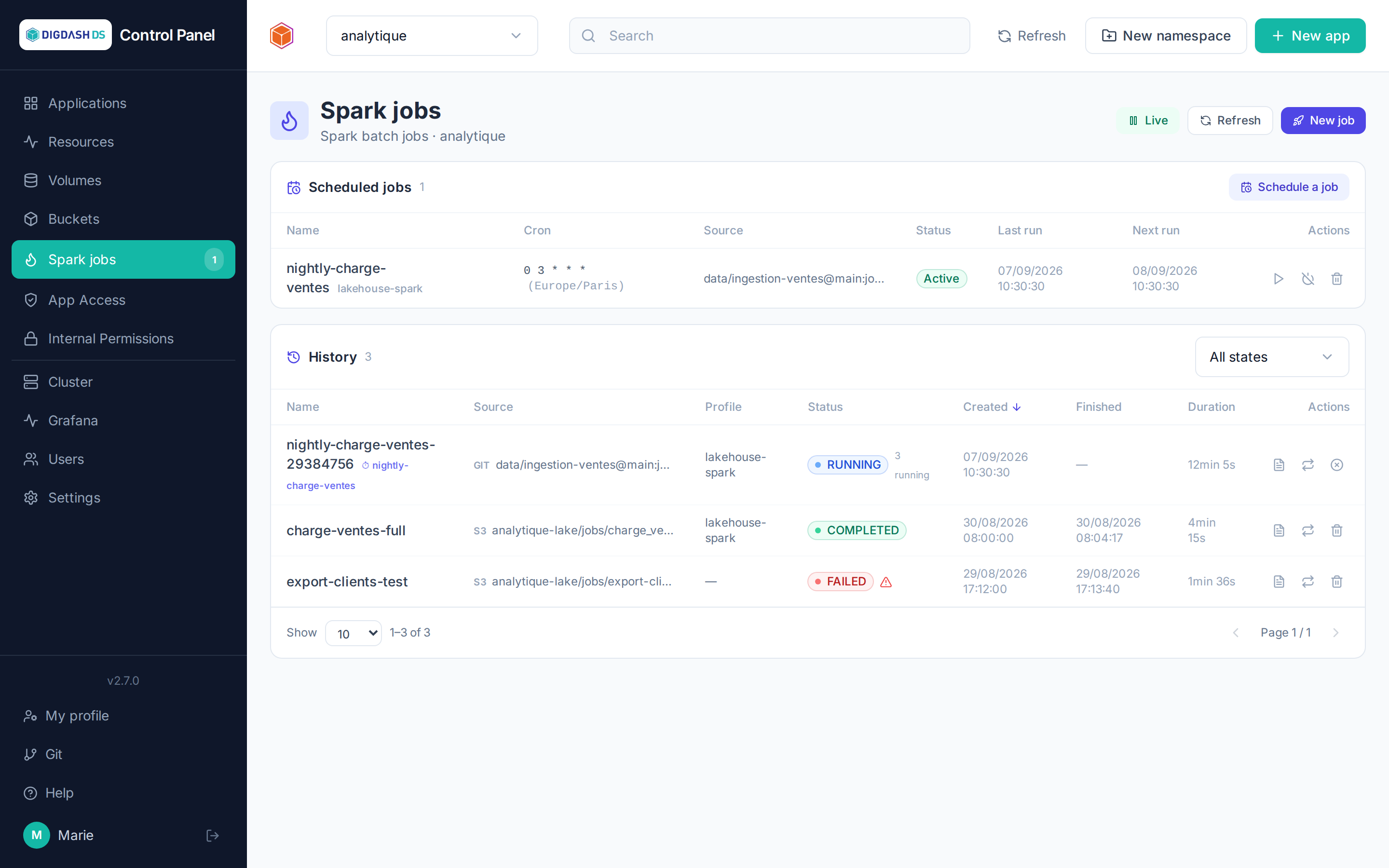
For standalone or scheduled Spark processing (outside an interactive Spark Connect session), the Spark jobs page of the sidebar launches and follows batch jobs in the current namespace, through the Kubeflow Spark Operator installed on the platform: each job is a Kubernetes SparkApplication resource of the namespace (or a ScheduledSparkApplication for a cron schedule); the operator launches the driver then the executors as pods and cleans up at the end. The Spark jobs button of a Spark Connect card opens the same page, filtered on that instance as profile.
Launching a job
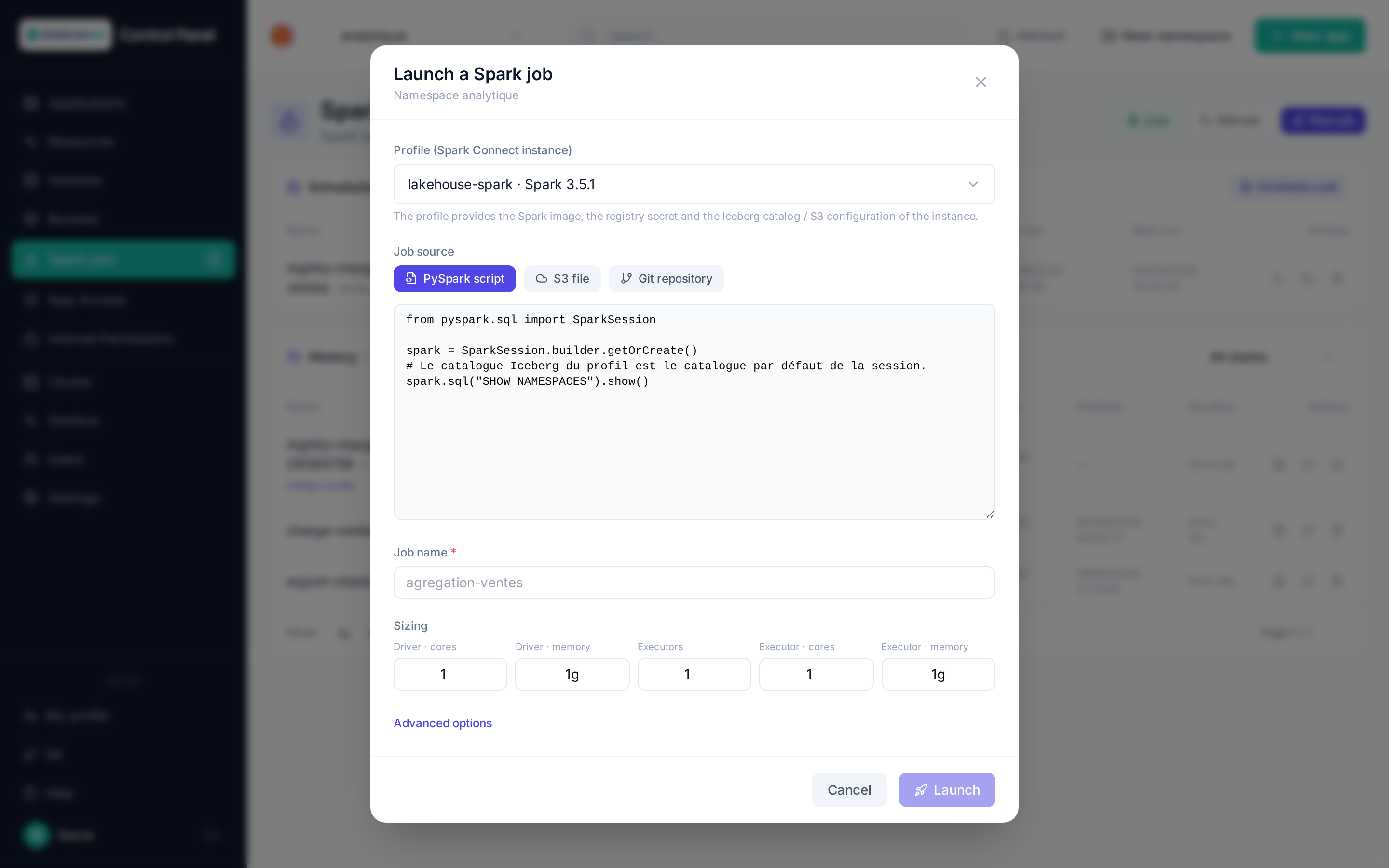
New job opens the form:
| Field | Role |
|---|---|
| Profile | A Spark Connect instance of the namespace: the job reuses its Spark image (Iceberg jars included), its registry secret and the configuration of its Apache Iceberg / S3 catalog (default catalog of the session). Without a profile, give an explicit Spark image (and its registry secret). |
| Source | The job's main file: a PySpark script typed in directly, an S3 file (bucket of the namespace + object path; endpoint and keys filled by the bucket picker), or a file from a Git repository on Forgejo (instance, repository, branch, path — cloned with your personal token, see Git). A main class (advanced options) switches to a Scala/Java job on a .jar. |
| Name | Kubernetes identifier of the job (lowercase letters, digits, dashes) — suggested from the file. |
| Sizing | Driver cores and memory, number of executors, cores and memory per executor. |
| Advanced options | Arguments, extra Spark properties (spark.*), retention of the resource after completion — in hours, 168 (7 days) by default. |
The driver runs with the namespace's spark service account (CPU/memory limits set on every container, as the namespace quota requires); S3 and Git sources are fetched by an initContainer (aws s3 cp / git clone) into a volume mounted on /opt/job, the typed script through a sparkjob-<name> ConfigMap. Credentials (catalog, S3, Git) stay in namespace Secrets, never in the form annotated on the resource.
Follow-up
The history lists the jobs of the namespace with their state (SUBMITTED, RUNNING, COMPLETED, FAILED…), source, profile and duration; it refreshes by itself while a job is active. For each job:
- Detail and logs: driver/executor pods and the last lines of the driver, live while the job runs;
- Relaunch as is: a new
<name>-<suffix>resource from the original form (profile re-resolved, so image and configuration are up to date); Relaunch with changes reopens the pre-filled form; - Cancel (active job) stops driver and executors; Delete (finished job) removes the resource and its logs.
The usual roles apply: read for a viewer, launch/cancel/delete for an operator, scheduling for a namespace admin.
Scheduled jobs
Schedule a job reuses the launch form with a cron expression (5 fields), a time zone, a concurrency policy (forbid overlaps, allow, replace) and the number of runs kept. Each schedule can be run now, suspended then resumed, or deleted; its runs show up in the history with the ⏱ marker of the schedule name.
Without the UI
The resources remain manageable with kubectl -n <namespace> get sparkapplications: a hand-made job shows up in the history (cancel/delete possible, but no relaunch without an original form). On a cluster without Docker Hub access, the initContainer images can be overridden in Cluster settings: SPARK_JOB_GIT_IMAGE (default alpine/git) and SPARK_JOB_S3_IMAGE (default amazon/aws-cli).
Namespaces created before the operator
The spark service account is created with every namespace and checked at every launch; for namespaces older than the operator installation, the installation creates it too (or python manage.py ensure_spark_rbac on the ControlPanel side).