Access and permissions
Two distinct notions coexist:
- App Access — who can use a deployed application (sign in to Digdash BI, to Hop…);
- Internal Permissions — who can administer what within the Control Panel itself.
App Access
The App Access page (or the Manage access button on a card, not available for PostgreSQL) lists, for each OIDC-authenticated application, all platform users split into two sections, With access / Without access, with search and multi-select to act on several users at once.
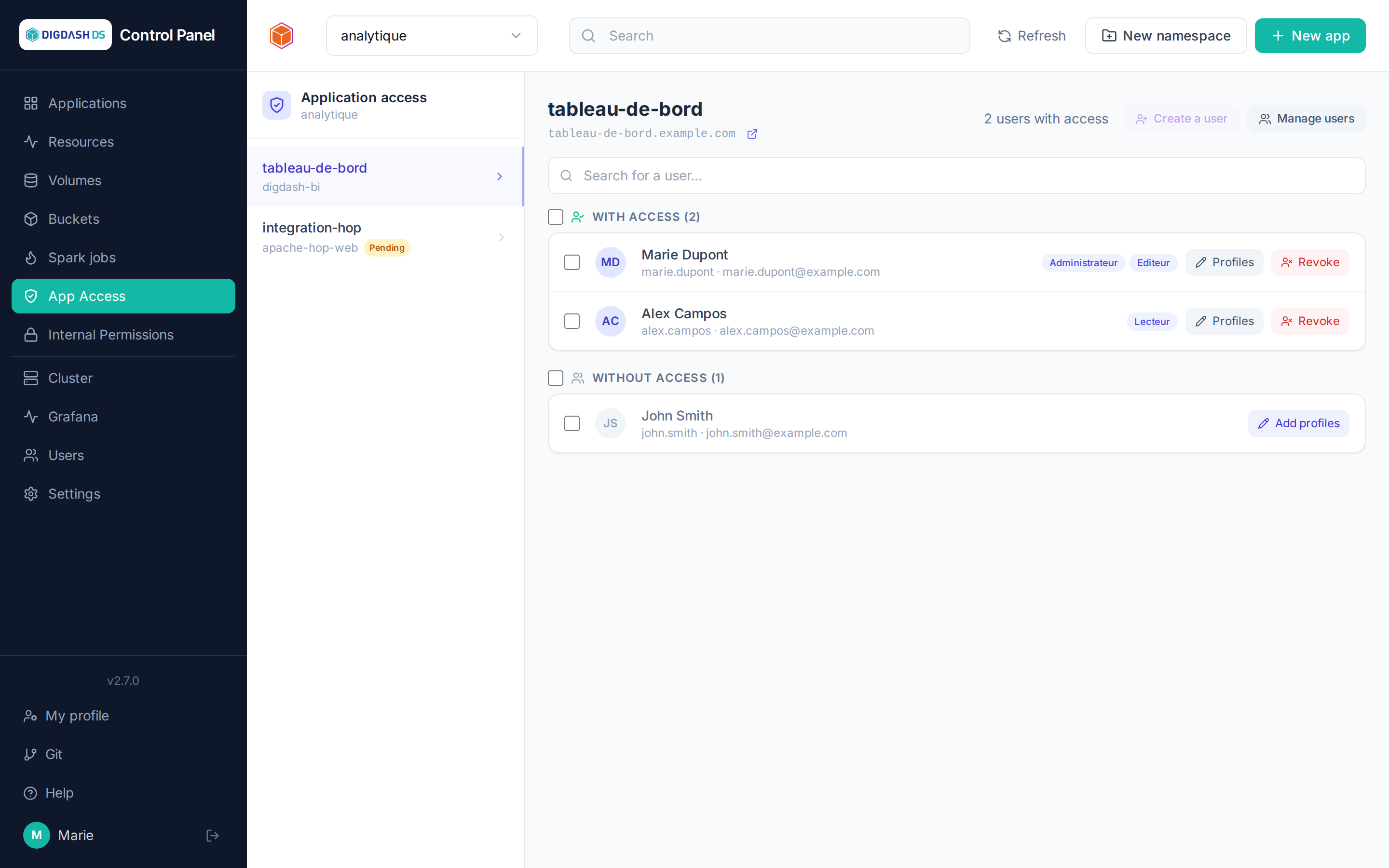
Two mechanisms depending on the template, shown automatically by the page:
- Profiles (most templates, e.g. Digdash BI): granting access means assigning one or more profiles (application roles) to the user — a user with no profile has no access. The Add profiles button opens the selection, individually or in bulk on the current selection.
- Direct grant / revoke (Apache Hop GUI only): a simple binary grant, with no notion of profile — Grant / Revoke buttons, also available in bulk.
Internal Permissions
Control Panel roles are granted per namespace (the user acts on the whole namespace, from the Namespaces tab) or per application (scope limited to a single application, from this page). The Internal Permissions page reuses the same interface as App Access (search, With/Without permission sections, multi-select for bulk actions), but only shows and changes permissions set directly on the application: roles inherited from the namespace do not appear here — a reminder the screen itself displays, alongside the rights table below. Every application of the namespace is listed, including those without a Keycloak login (PostgreSQL, Apache Iceberg, Nginx, Spark Connect…), which are absent from the App Access page since there is no access to grant there.
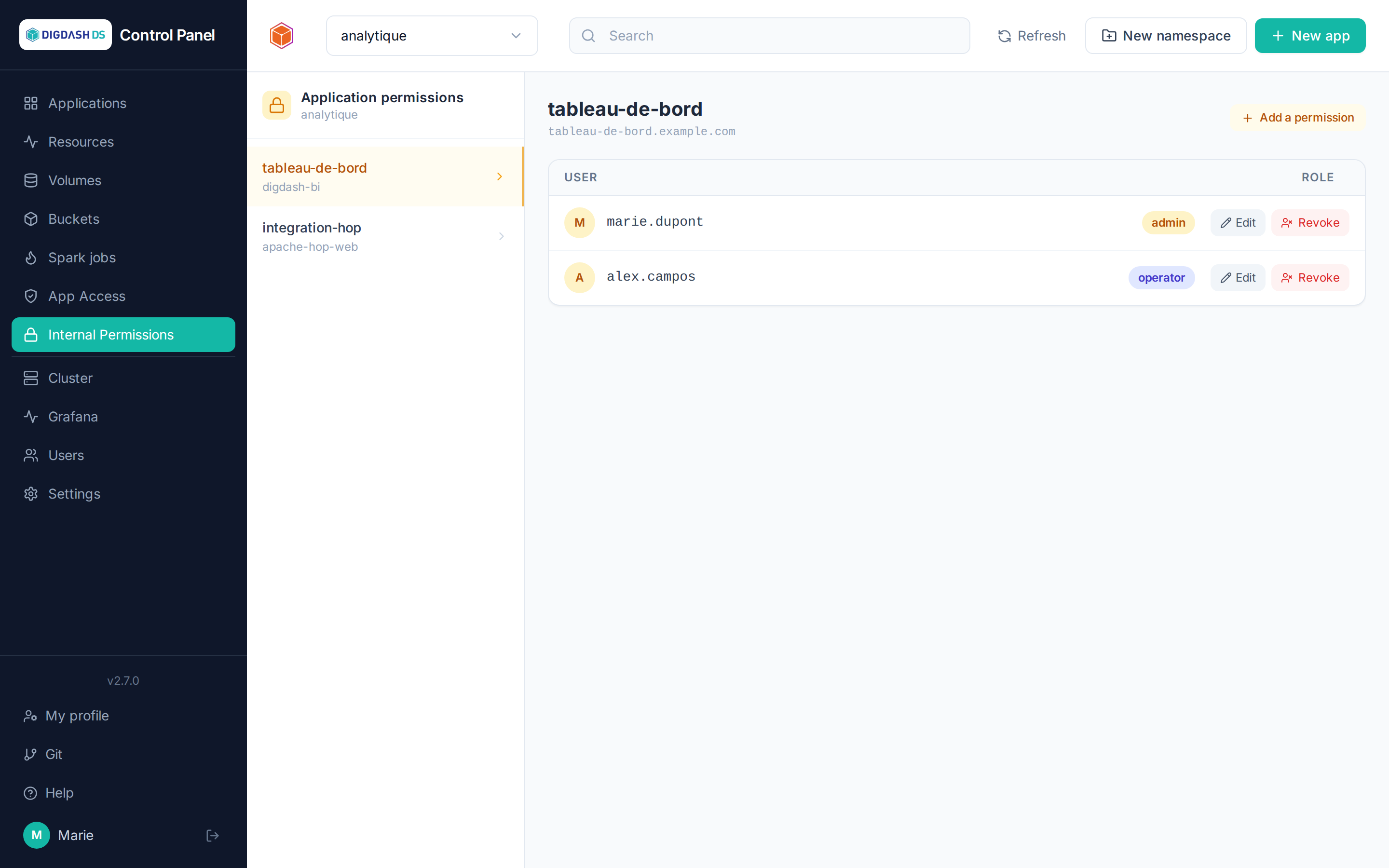
| Role | What it allows |
|---|---|
viewer |
View the applications, volumes, buckets in scope |
operator |
+ start/stop/restart, upgrade an application, configure, resync |
admin |
+ deploy and delete, manage access and permissions in scope |
On top of this comes the platform administrator status, which is cross-cutting: managing users, groups, namespaces and quotas, cluster settings, the Git instance and relay authentication.
Namespace creation right
Creating a namespace no longer requires being a platform administrator. The Namespace creation right can be granted:
- to a user, in their record (Users → Edit user), when creating them, or through the
creation_namespacescolumn of the bulk import; - to a group: all its members receive it, as long as they belong to it.
Whoever creates a namespace becomes its administrator (admin) — of that one only. The right gives nothing else: neither deleting a namespace, which stays reserved to the platform administrator, nor managing groups or cluster settings. Like any namespace administrator, they can create user accounts, but not edit or delete them. Only a platform administrator can grant it.
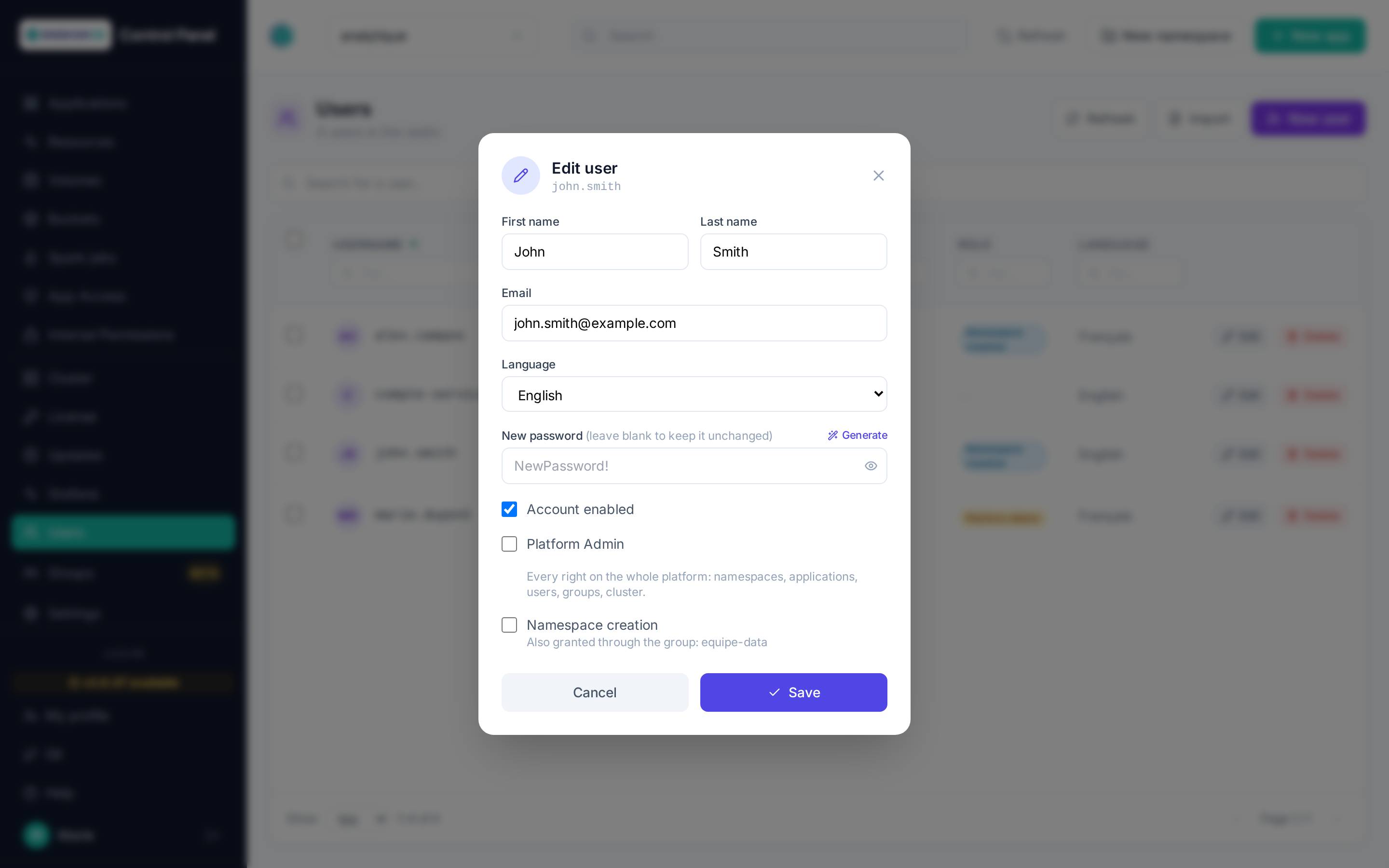
In the Users list, a badge flags the holders of the right; on hover, it tells whether it comes from a group. A platform administrator holds it by default.
Groups
Restricted to platform administrators.
A group is a set of users. Everything granted to the group applies to each of its members, as long as they are members: leaving the group removes what the group brought, and only that.
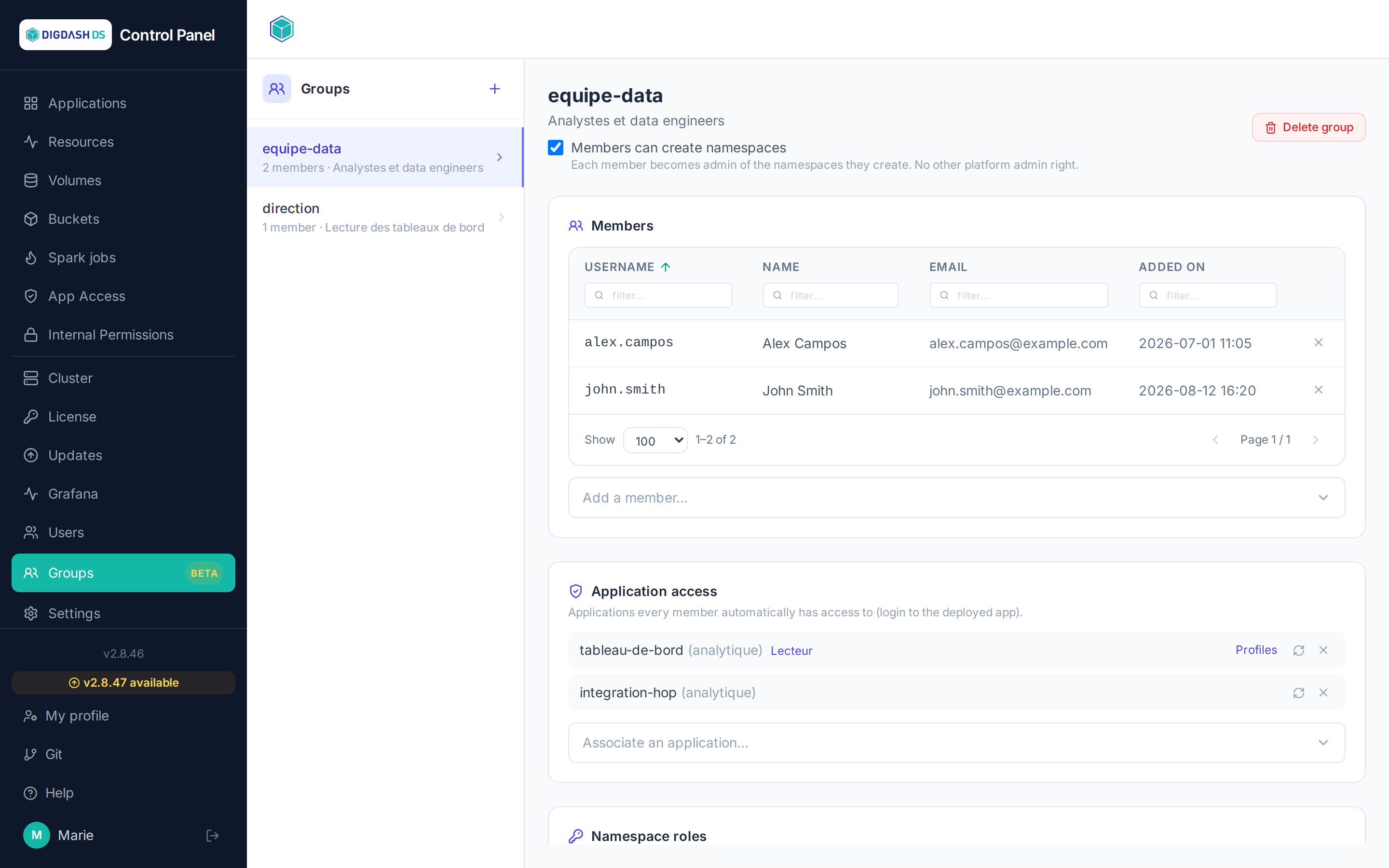
What a group can carry
| Item | What members receive | Applied |
|---|---|---|
| Access to an application (and its profiles, for Digdash BI and NiFi) | The right to sign in to the application, with those profiles | Pushed to Keycloak |
| Role on a namespace | viewer, operator or admin on the whole namespace |
Immediately |
| Role on an application | A role limited to that application | Immediately |
| Namespace creation | The right to create namespaces | Immediately |
Roles and the creation right are computed on every action: a change takes effect at once. Application access, on the other hand, must be written to Keycloak (see When changes apply).
How rights combine
A user may receive rights from several sources: directly and through one or more groups. Nothing overwrites anything:
- Roles: the highest wins. A role set on an application takes precedence over the role of the namespace containing it.
- Access and profiles: they add up. A member of two groups receives the union of their profiles, plus those assigned to them directly. Access stays in place as long as at least one source justifies it: removing someone from a group does not take away access they also hold directly or through another group.
When changes apply
- Adding or removing a member: their access is updated immediately.
- Associating or dissociating an application, changing its profiles, deleting the group: the change is recorded at once, then applied to every member by a background task whose progress is shown on the page. For a group of several thousand members, this takes a few minutes. After a partial failure, the Resync button pushes access and profiles to every member again.
- Periodic reconciliation: the system reconciliation task restores in Keycloak any access that groups justify but that would be missing. It never removes anything — several Control Panels may share the same Keycloak, and access without a justification here may have one elsewhere.
Application access and profiles
Only running applications are offered for association: nothing could be applied to a stopped one. For Digdash BI and Apache NiFi, the Profiles button of an associated application lets you choose the profiles the group confers; other applications keep a simple access grant.
What comes from a group is greyed out
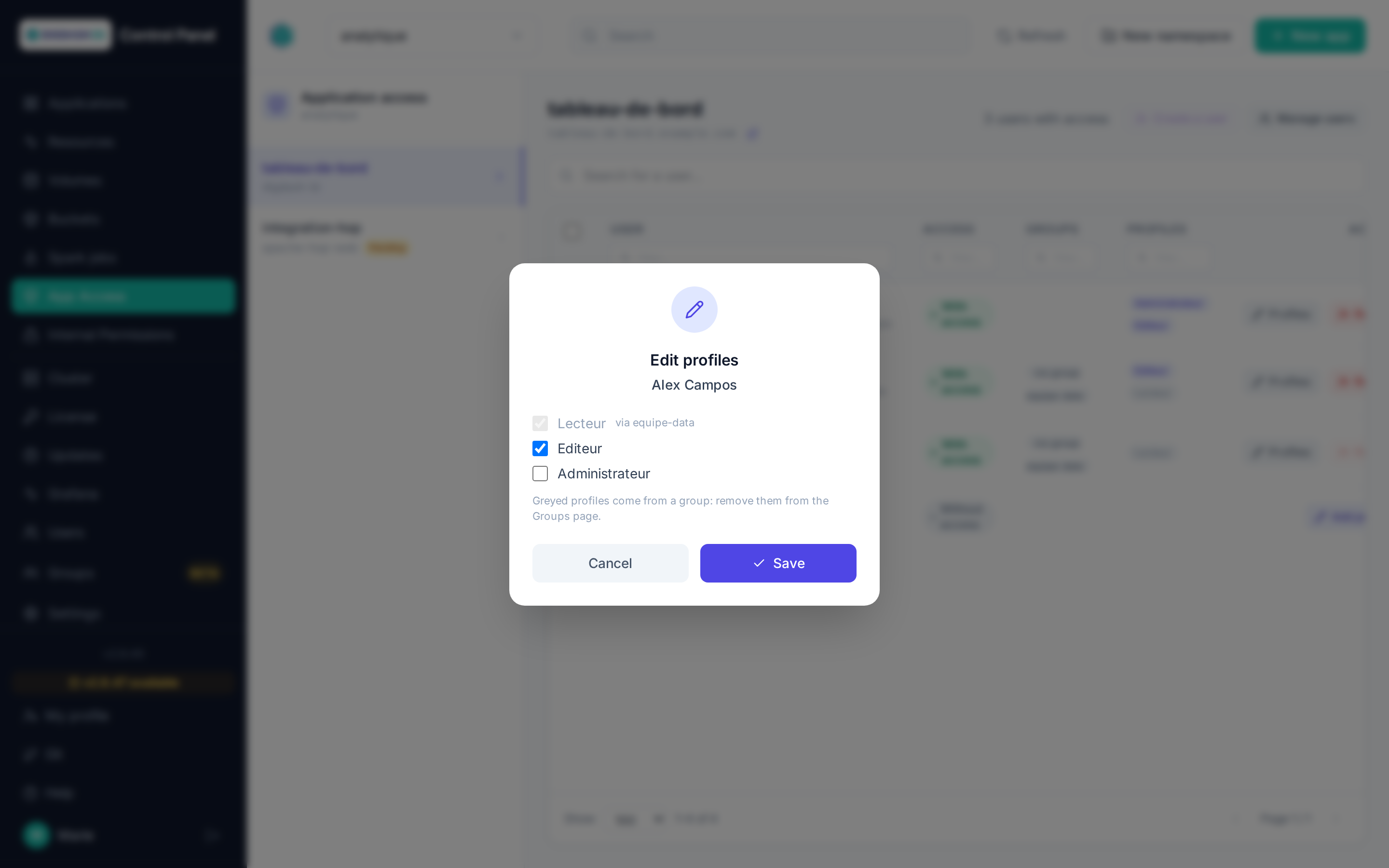
On the App Access page, profiles inherited from a group are shown greyed out, with the group name on hover, and a "via group" badge flags the users concerned. In Edit profiles, they are checked but cannot be unchecked: removing them there would have no effect, the group would grant them again. Likewise, Revoke is disabled for a user whose access only comes from a group. Such access is removed from the Groups page.
Group names
A group name is unique regardless of case: "Business" and "business" are the same group. The bulk import therefore attaches a user to the existing group whatever the case, and only creates a group if it really does not exist.
Note
Control Panel permissions are independent from each application's own internal roles: granting operator on a namespace does not, for example, grant administration rights inside Digdash BI itself.