Users
Restricted to platform administrators. A namespace administrator can also open it to view the list, create or import accounts: without making them platform administrators or granting them the namespace creation right, and without editing or deleting an existing account.
The Users page manages the platform's accounts (created in Keycloak, the enterprise identity provider).
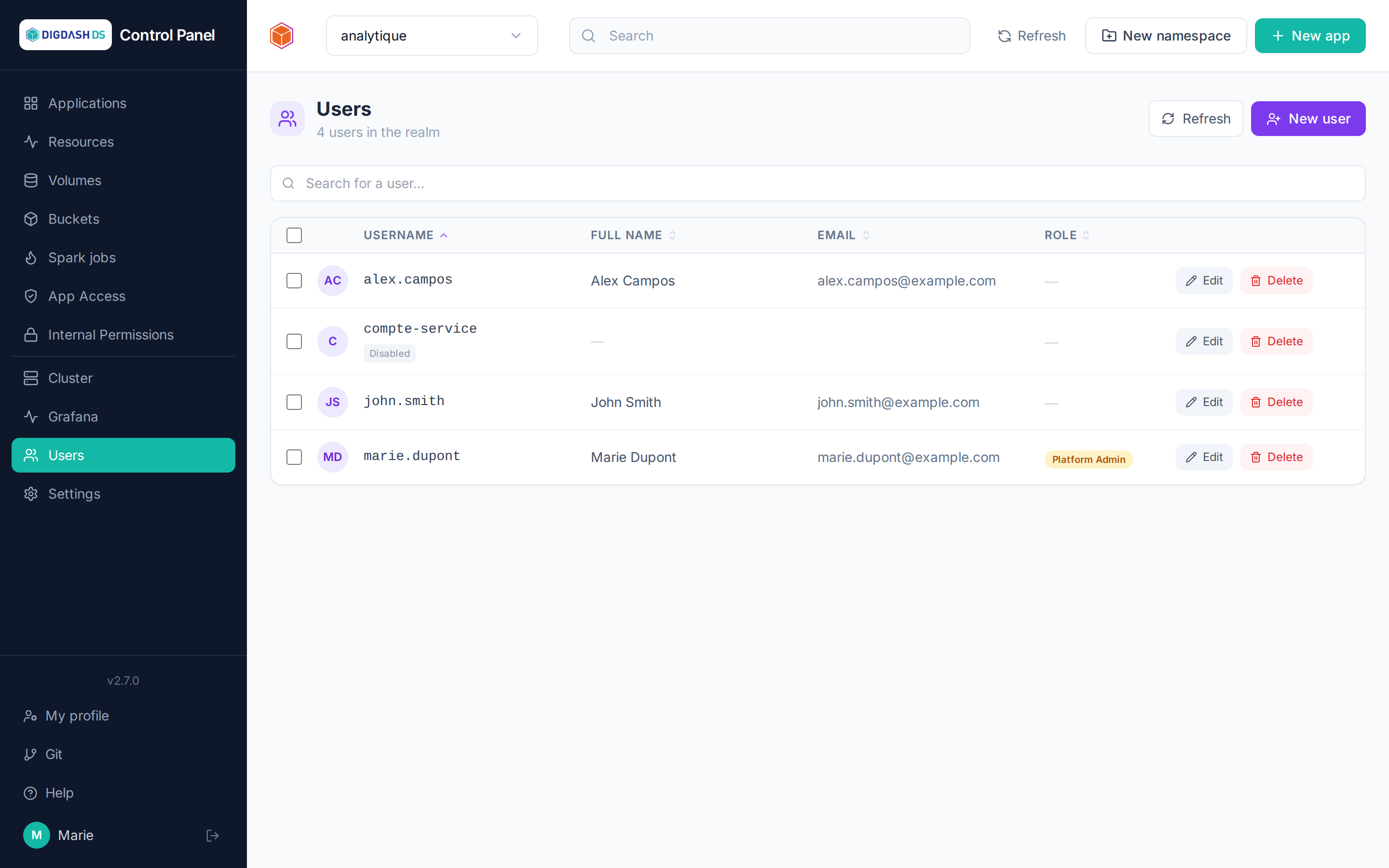
Creating a user
New user → username, email, name, initial password (temporary by default: the user will have to change it on first sign-in), interface language, and optionally Platform Admin status.
On creation, the user's personal Git account is automatically provisioned on the platform's Forgejo instance (see Git) — it can therefore be added immediately as a repository collaborator, without waiting for their first sign-in.
Importing several users
Import creates a batch of accounts at once, from a CSV file or from text typed directly — one user per line. The file is read by the browser and poured into the text area: you see, and can correct, what you are about to create before confirming.
The Download an example button provides a ready-to-fill template.
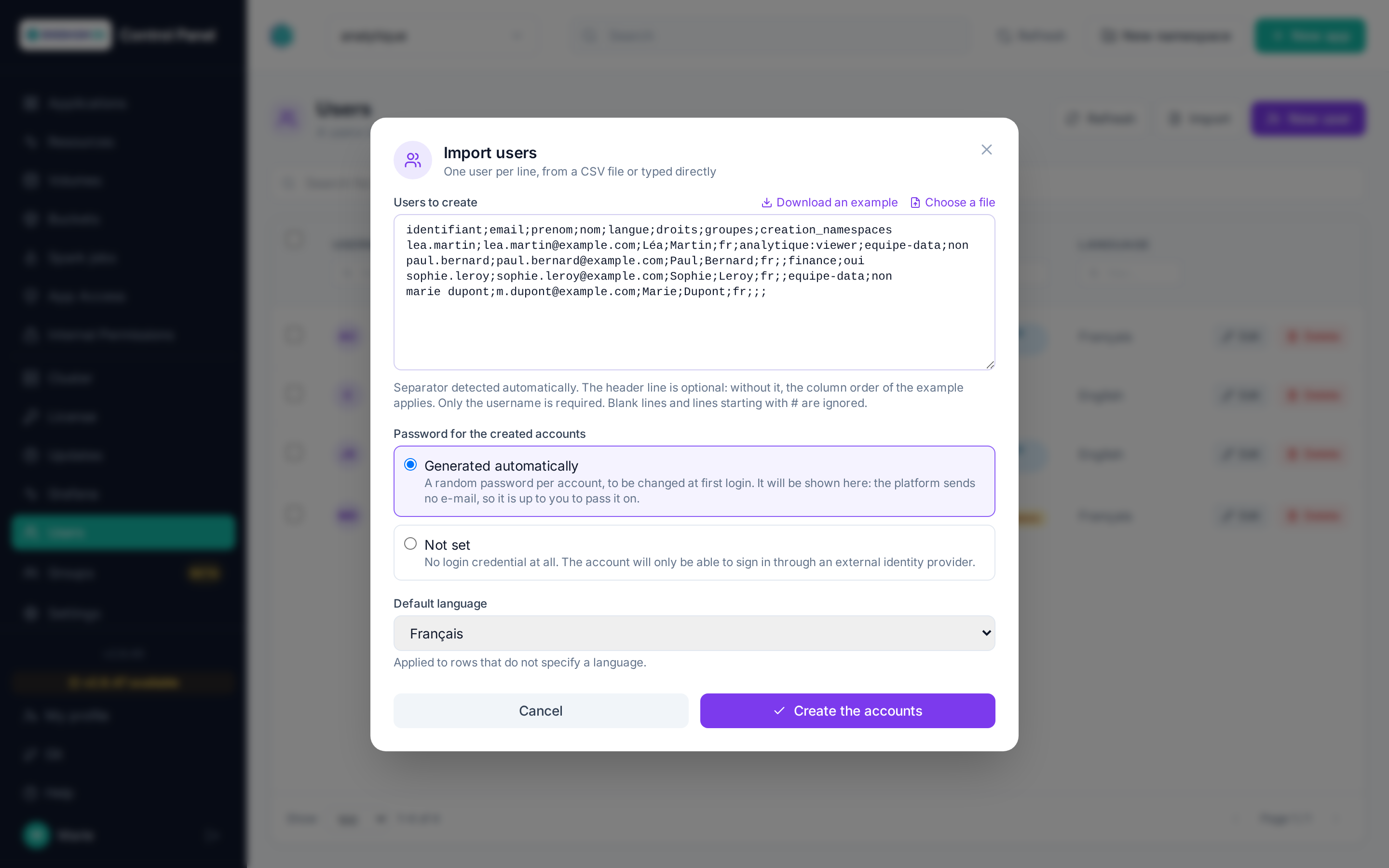
Recognised columns, in this order when the file has no header line:
| Column | Content | Required |
|---|---|---|
username |
Sign-in username | yes |
email |
E-mail address | no |
firstname, lastname |
The person's name | no |
language |
fr, en or es |
no |
admin |
yes/no — platform administrator | no |
active |
yes/no — account enabled | no |
rights |
namespace:role, comma-separated (accounting:admin,hr:viewer) |
no |
groups |
Group names, comma-separated | no |
creation_namespaces |
yes/no — right to create namespaces, grantable by a platform administrator only | no |
A group that is named but does not exist is created automatically and flagged as such in the report — do read it, a typo in this column creates a group instead of joining one.
The separator (;, tab, , or |) is detected automatically. With a header line, the column order is free and you may supply only some of them. Blank lines and lines starting with # are ignored.
Existing accounts
A username that already exists is neither recreated nor modified: password, e-mail, name, language, active status and administrator status stay as they are. The line only adds to its access:
- the listed groups are joined (and created if they do not exist);
- namespace rights are added, or raised if the requested role is higher — never lowered;
- the namespace creation right is granted when requested — never removed.
The line then shows the Updated status. Re-importing a file to add people to a group is therefore safe: no access is ever taken away.
Password
A single choice applies to the whole import:
- Generated automatically: a random password per account, to be changed at first sign-in. It is shown in the report — since the platform sends no e-mail, it is up to you to pass it on.
- Not set: no login credential at all. For accounts that will sign in through an external identity provider.
Report
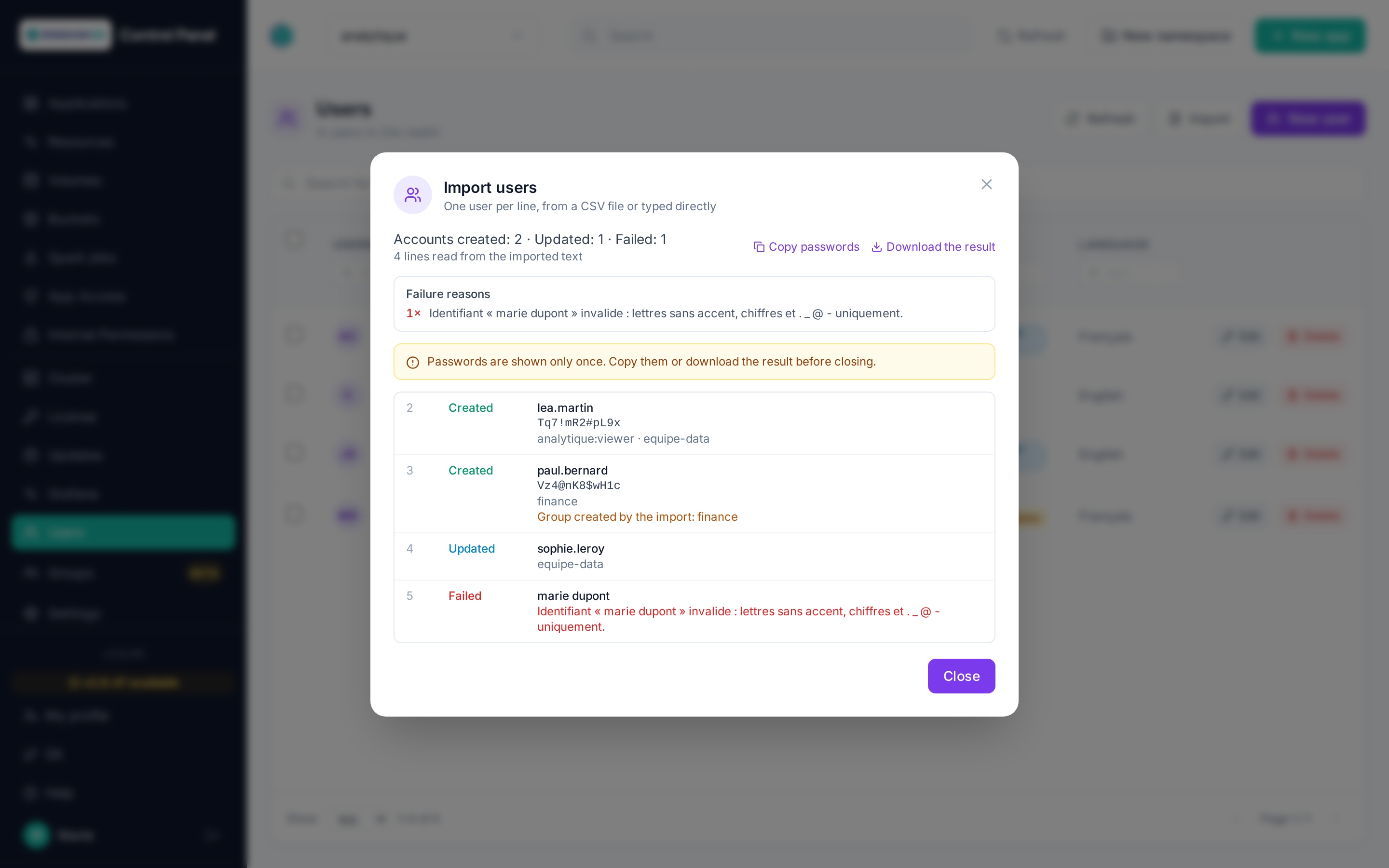
Every line of the file gets its own status, including those never attempted — invalid syntax, username repeated in the file, permission denied. The count tells created accounts, updated existing accounts and failures apart. The report can be downloaded as CSV, and generated passwords copied in one click.
Warning
Passwords are shown only once. Copy them or download the report before closing the window.
Note
A line whose permissions do not pass is refused without creating anything: never a half-provisioned account. Assigning a group or creating an administrator requires platform administrator rights; granting a right requires being administrator of the target namespace.
Editing / disabling / deleting
From each user's row: editing fields, changing the password, enabling/disabling the account, deletion (which also removes their personal Git account).
Bulk actions
By selecting several users:
- Enable / Disable the selected accounts;
- Change the language of all selected accounts;
- Delete in bulk.
The result details successes and failures user by user.
Note
The language set here drives the language of messages sent by the platform to this user. Each user can also change it themselves from My profile.