Volumes
The Volumes page lists the persistent volumes (PVCs) in the current namespace: name, capacity, used space, storage class, status, and the pods using them.
The Used column (gauge + percentage) comes from the platform monitoring (Prometheus, kubelet metrics): it is only filled for a volume mounted by a pod; otherwise, or when monitoring is unavailable, it shows n/d.
Actions on a volume
The ⋮ menu to the right of each row groups together every action available for that volume:
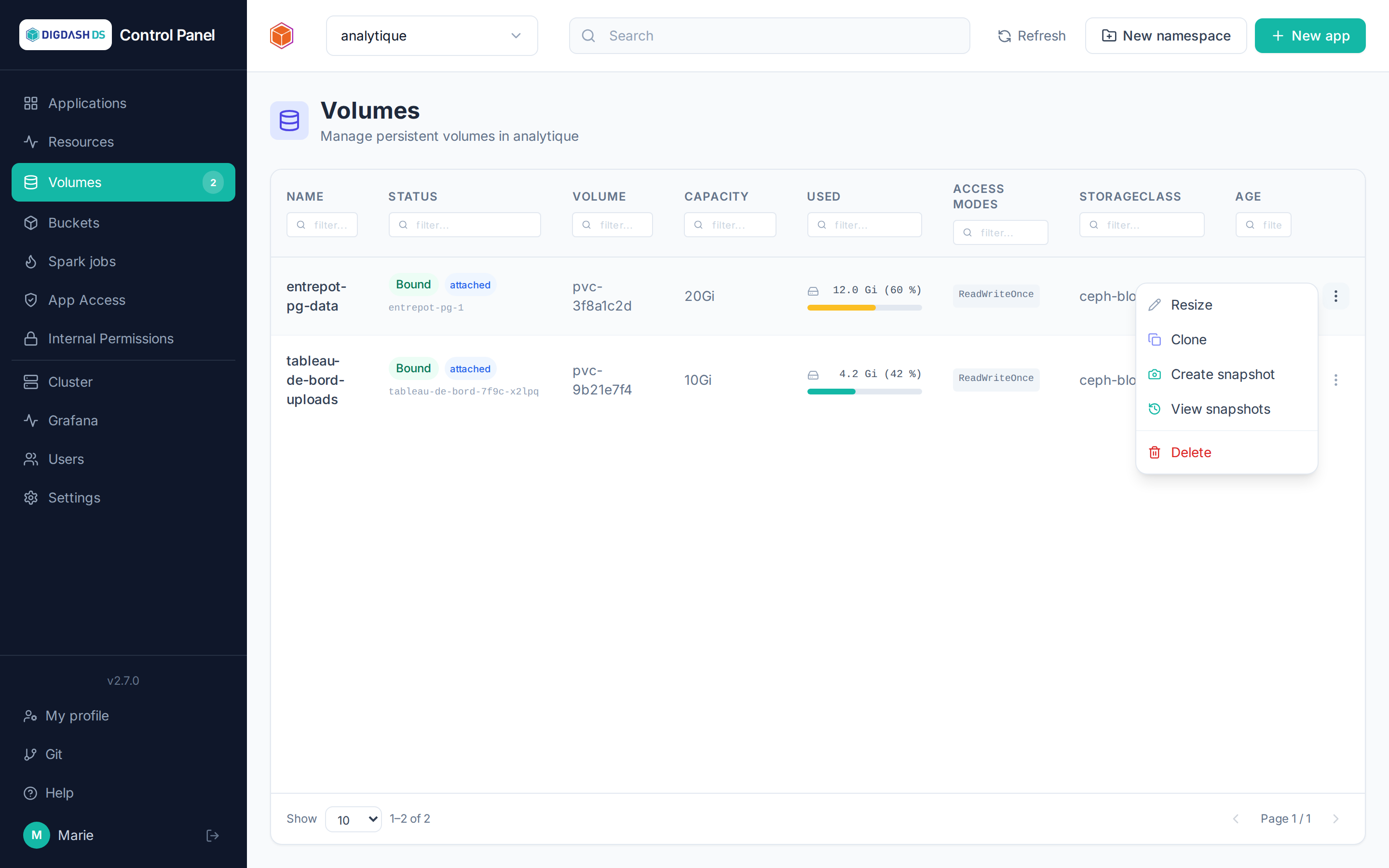
| Action | Effect |
|---|---|
| Resize | Increases the capacity (never a reduction — a Kubernetes limitation) |
| Create snapshot | Freezes a point-in-time snapshot of the volume |
| Clone | Creates a new volume, an independent copy of the original |
| Restore a snapshot | Creates a new volume from an existing snapshot |
| Delete | Deletes the volume — not possible if it's still attached to a pod |
PostgreSQL database volumes
Volumes of a PostgreSQL database (the PostgreSQL application, or a database embedded in another application) are driven by the CloudNativePG operator: Resize, Clone and Snapshot are greyed out for them, and refused by the API even when bypassing the interface.
- Growing the database: go through the application's Configure → Storage size. The operator resizes its instances' volumes itself; a resize made directly here would be reconciled away (i.e. reverted) by the operator. Shrinking remains impossible.
- Copying the database: use its backups. A snapshot or a clone taken on a running database is not guaranteed to be consistent.
Use case: rolling back after a mistake
- Before the risky operation, take a snapshot of the volume in question.
- If something goes wrong, restore the snapshot to a new volume.
- In the application's Configure → Volumes, point the mount to this new volume — the application restarts on the restored data.
Note
Snapshots live in the cluster (not in S3): they protect against operator mistakes, not against loss of the cluster. For a true, externalized backup of databases, see Backup and restore.