DigDash environment backup
See also the Digdash BI deployment options.
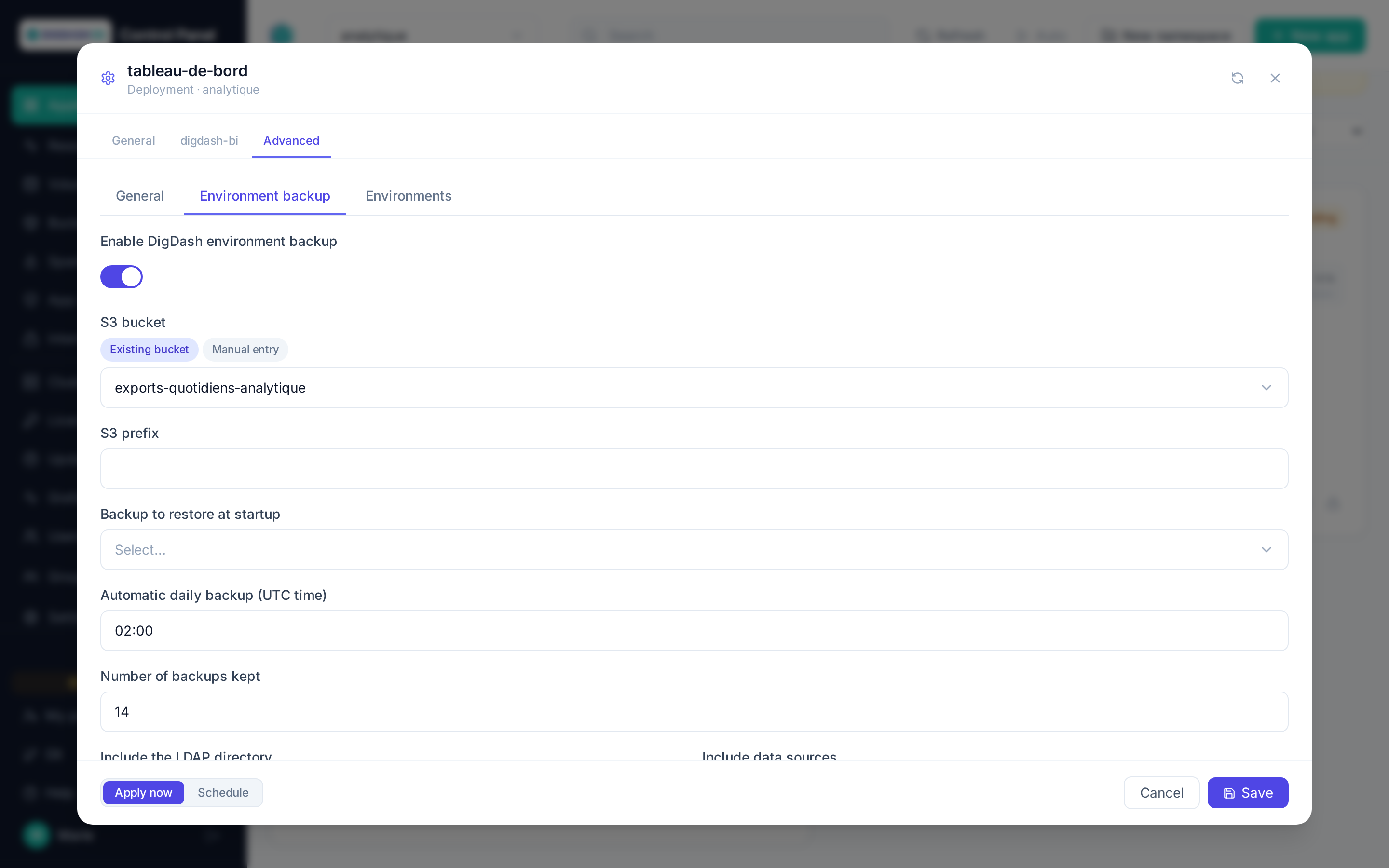
Independently of the database, the Environment backup category backs up the DigDash environment itself — users, roles, dashboards, data models, data sources and LDAP directory — with DigDash's official backuptools, to an S3 bucket. It works whatever the database type.
| Field | Role |
|---|---|
| Enable DigDash environment backup | Adds a container dedicated to backup and restore to the pod — also required for on-demand backup and restore from the card. |
| S3 bucket | Destination bucket. A bucket of this namespace is used with its own credentials; for another S3, switch to manual entry and fill in the endpoint and keys. |
| S3 prefix | Backup folder in the bucket. Empty = application name. |
| Backup to restore at startup | List of the backups in the chosen bucket (all applications of the namespace). The chosen backup is imported at the first startup of a new instance, only once: a restart does not import it again. Lets you create an instance from another one's backup. |
| Automatic daily backup (UTC time) | One backup per day at the given time (02:00 by default). Empty = no automatic backup, on demand from the card only. |
| Number of backups kept | The oldest are deleted from S3 after each backup (0 = keep all). |
| Include the LDAP directory / Include data sources | Content of backups and restores. |
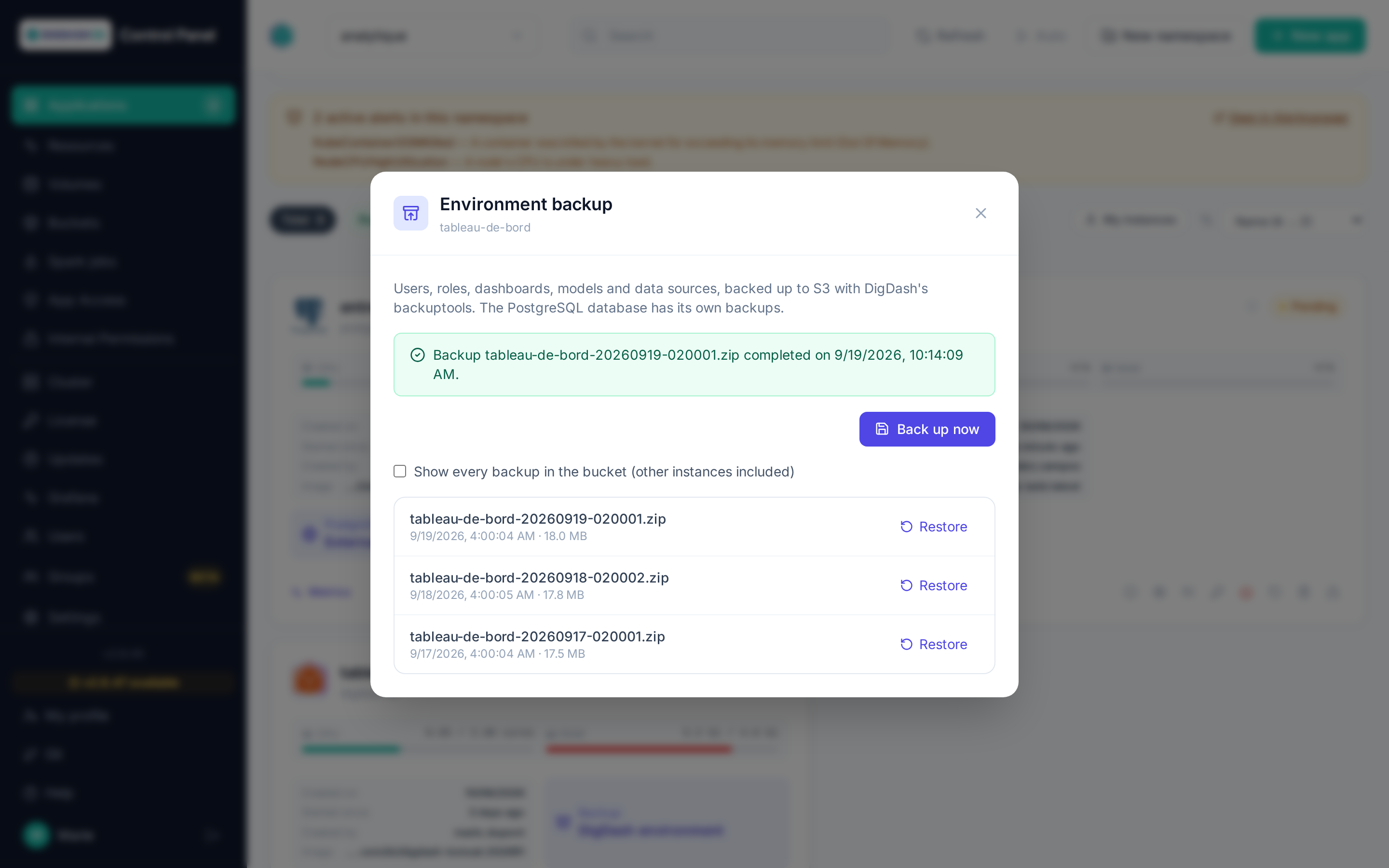
Once the application is running, its card shows Backup · DigDash environment. By default the window lists this instance's backups (its prefix); the Show every backup in the bucket checkbox also shows other instances' backups so you can restore one (bucket of this namespace only). It lets you:
- Back up now (operator role);
- Restore a backup on the running instance, without restart (admin role). Backed-up items replace their current version; anything created since is kept.
One backup or restore at a time; the window follows the operation in progress and shows its result.