Namespaces and quotas
The Settings → Namespaces tab — creation and deletion restricted to platform administrators.
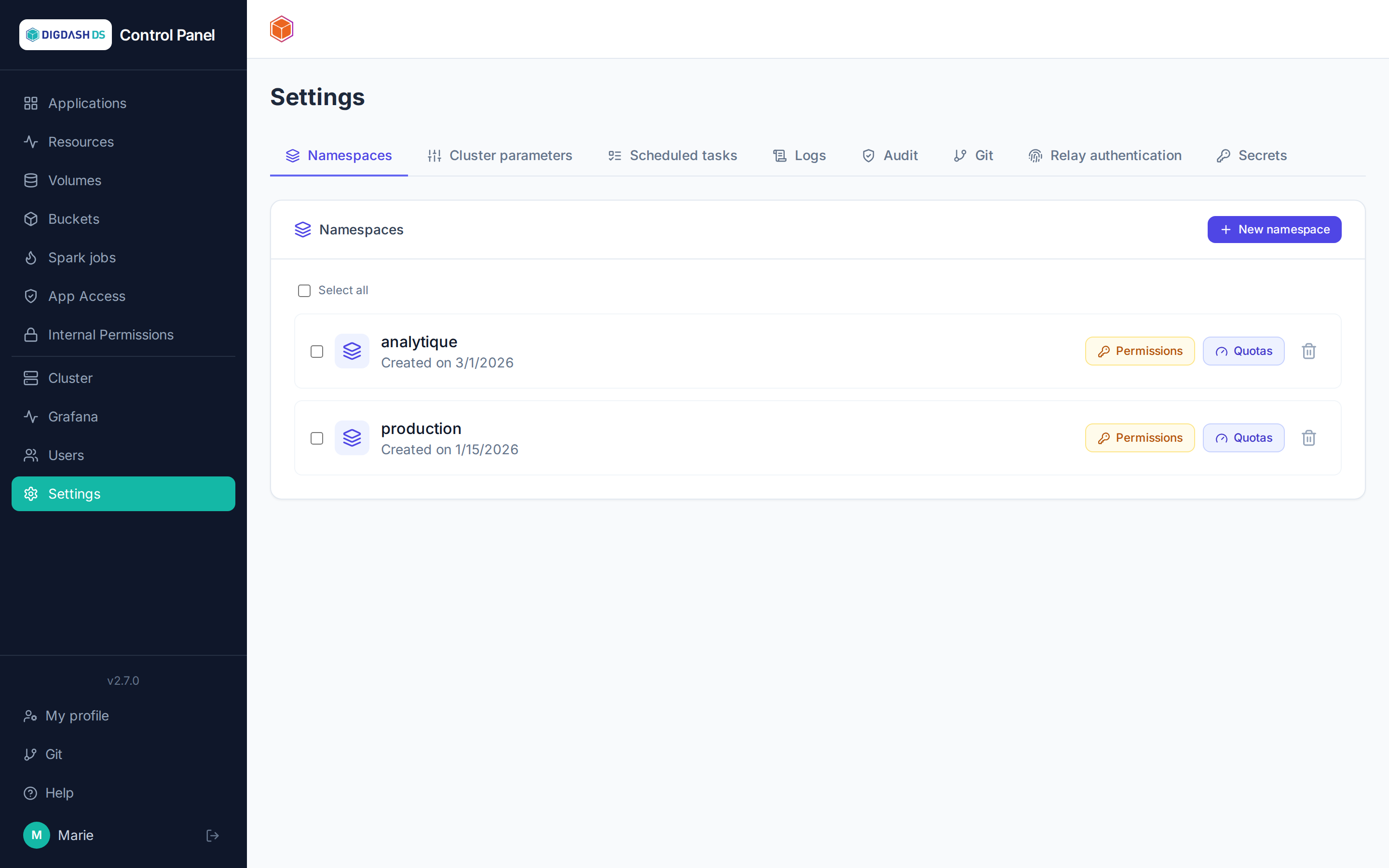
A namespace is an isolated workspace: its applications, volumes and buckets are separate from those of other namespaces, and it carries its own quotas and permissions.
Creating a namespace
New namespace (from the dashboard header or the Namespaces tab) → name (lowercase letters and digits), description, and quotas:
| Quota | What it caps |
|---|---|
| CPU requests / limits | The sum of pods' CPU reservations and ceilings |
| Memory requests / limits | Same, for memory |
| Pods | The number of simultaneous pods |
| Storage | The sum of persistent volume capacities |
The platform's default values are pre-filled and adjustable at creation. CPU, memory and storage are entered as a whole number + unit (m/cores, Mi/Gi/Ti), the pod count as a whole number.
An Isolate namespace on the network checkbox (checked by default) immediately applies the deny-all network policy described below — uncheck it to create an open namespace; isolation can still be turned on at any later time from the Namespaces tab.
Tracking and adjusting quotas
- The dashboard's quota gauge continuously shows the current namespace's consumption.
- In the Namespaces tab, the Quotas button on each row lets you adjust an existing namespace's ceilings.
- By selecting several namespaces, the edit applies in bulk to the whole selection.
Tip
A deployment refused with exceeded quota names the quota at fault and the requested/used/ceiling values — enough to decide between freeing up resources and raising the quota.
Permissions on a namespace
The Permissions button on a row grants a user a role (viewer, operator, admin) on that namespace — see Access and permissions.
Network isolation
The Network button on a row opens the namespace's network isolation — deny-all by default once enabled: no inbound or outbound traffic is allowed except the rules declared below (plus a handful of technical flows that always stay necessary: DNS, access to the Gateway for HTTPRoutes, etc.).
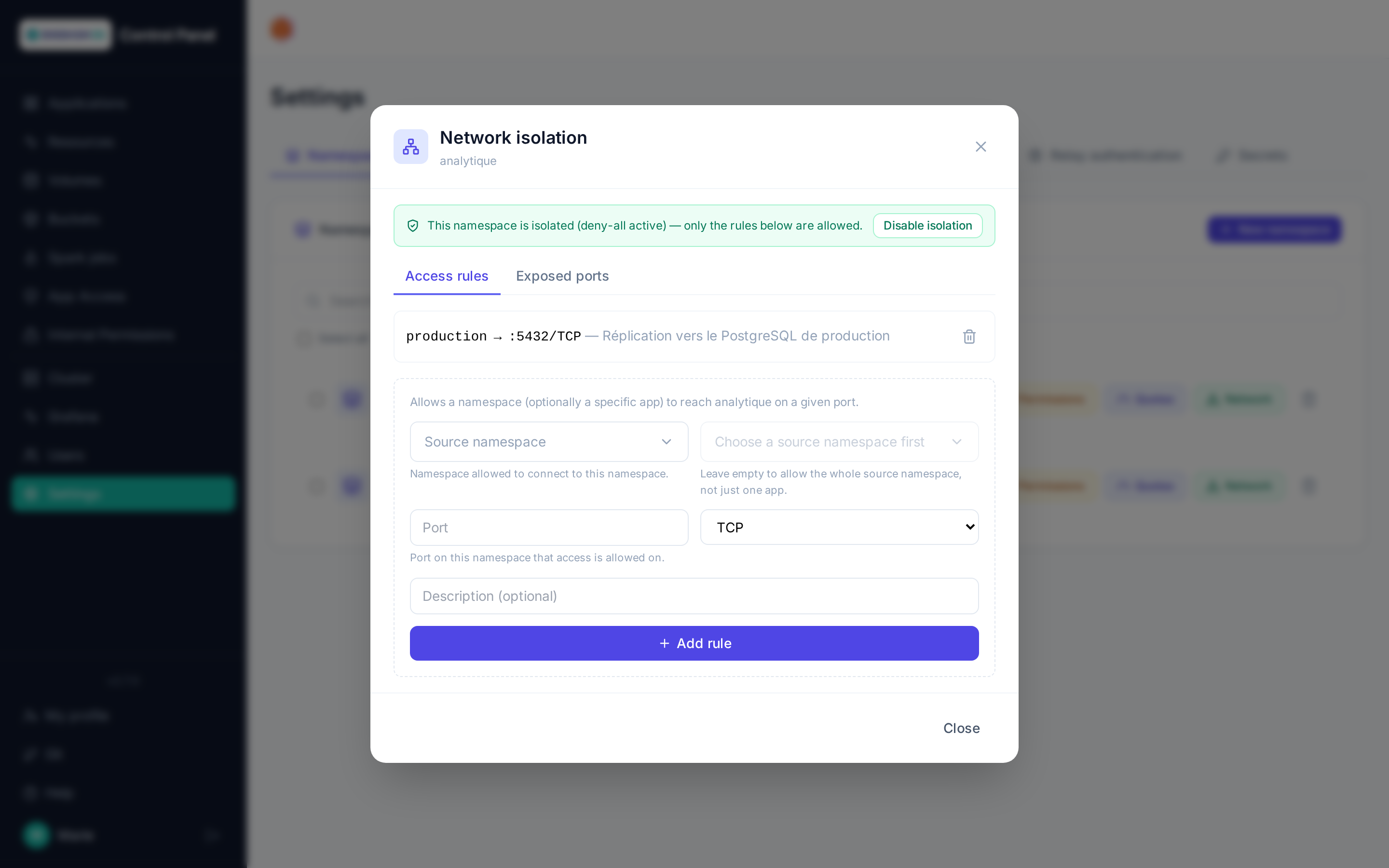
- Enable / disable isolation: switches the namespace between open (legacy behavior) and isolated. Declared rules stay visible and editable even while disabled, simply with no effect until isolation is turned back on.
- Outbound connections (internet): checked by default, letting the namespace's applications reach outside the cluster — package downloads, third-party API calls. Unchecked, only the technical flows (DNS, Kubernetes API, Forgejo, Keycloak) and the declared rules remain. Isolation therefore covers traffic between namespaces, not internet access.
- Bulk editing: tick several namespaces in the list, then click Network in the toolbar to enable or disable isolation, or allow or block outbound connections, for the whole selection at once. Namespaces with nothing to change (already in the requested state, or not isolated for outbound connections) are skipped and listed at the end.
- Access rules: allows a namespace (and optionally one specific app of that namespace) to reach this namespace on a given port — useful for example for cross-namespace replication or a legitimate cross-namespace application access.
- Exposed ports: exposes a Service of this namespace on a public TCP port through the shared Gateway, for access from outside the cluster. Each port can be restricted to a list of allowed IP addresses (IPs or CIDR ranges, pre-filled with your current address on creation, editable later through the filter icon): a source outside the list is refused by the proxy before it reaches the application. Left empty, any address the external firewall lets through is accepted. A PostgreSQL database is exposed from its own card instead (External access button), which picks the port and requires TLS — see PostgreSQL administration.
Note
Only namespaces created after this feature was introduced can be isolated — and among those, isolation is only effective right from creation if the corresponding checkbox was checked (see above). A non-isolated namespace (older, or created with the checkbox unchecked) shows "not isolated": declared rules then have no effect on the cluster until isolation is turned on.
Warning
Exposing a port (Exposed ports tab) also requires the matching forward on the infrastructure side, on a potential upstream firewall — not automated from this interface.
Deleting a namespace
Deletion with confirmation — destroys all of the namespace's content (applications, volumes, buckets). Irreversible.